How to Identify the Production Date of Your Swissbit Card
There are several ways to determine the production date of a Swissbit SD or microSD card.
Depending on your setup, you can use software tools or simply check the physical markings.
1. Using the Swissbit Device Manager
Swissbit offers a tool called Swissbit Device Manager, available here:
👉 https://www.swissbit.com/en/support/swissbit-device-manager/
⚠️ Please note:
This tool shares the same name as the Security Related Device Manager, but serves a different purpose. Don’t mix them up!
The Swissbit Device Manager is primarily designed to read out lifetime data from SD cards — even when the card is not connected via a standard SD bus.
This unique capability provides valuable insights into lifetime expectations and usage history.
To check the production date:
Open the Swissbit Device Manager.
Navigate to the “Card Registers” section.
Look for the “Manufacturing date” field — the tool automatically decodes it from the raw register data.
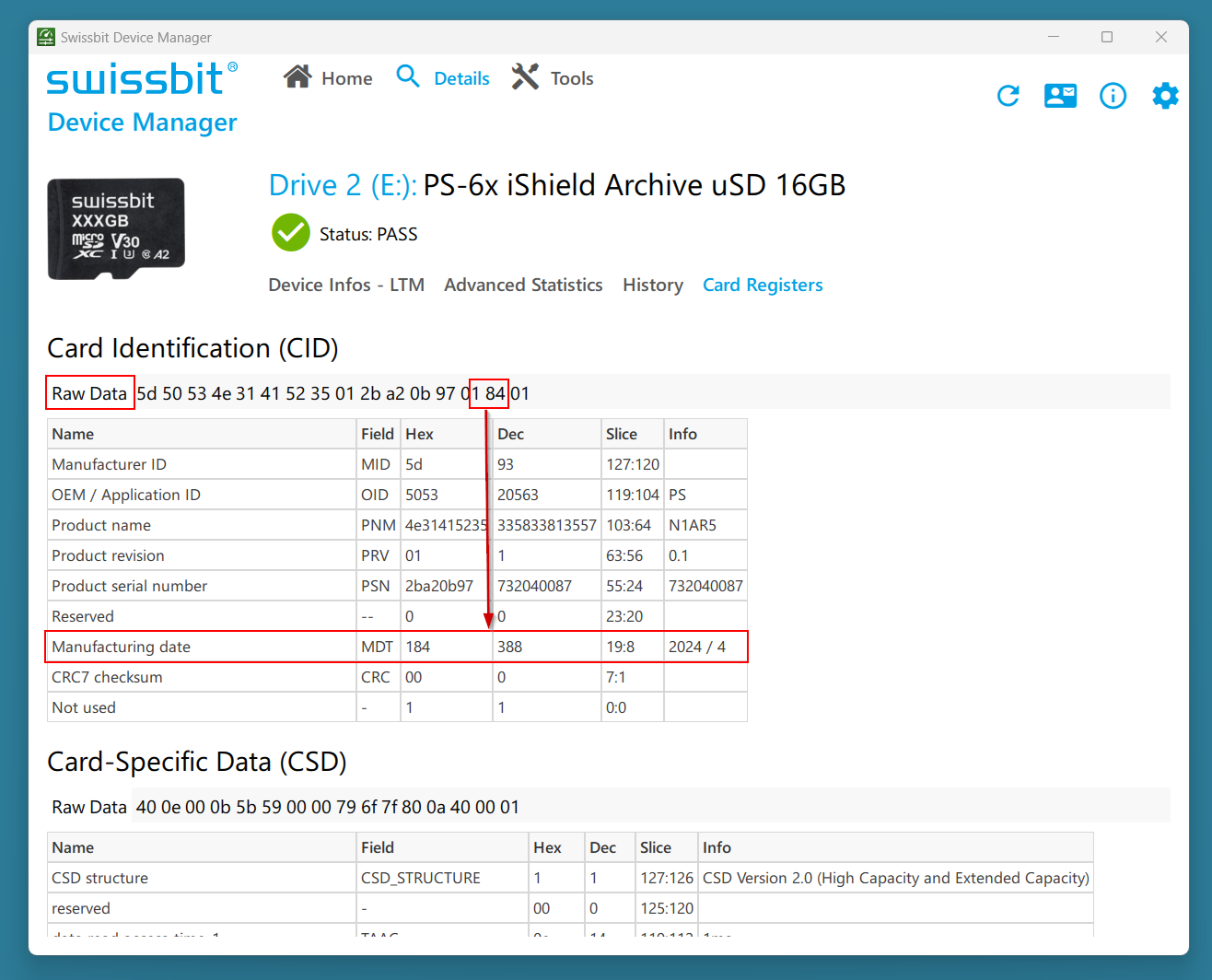
2024 / 04 —> here means month of April
2. Checking the Back Laser Marking
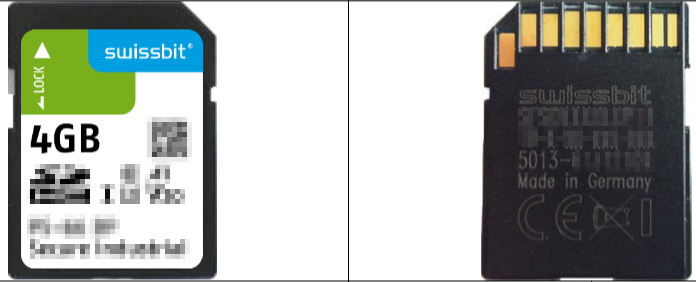
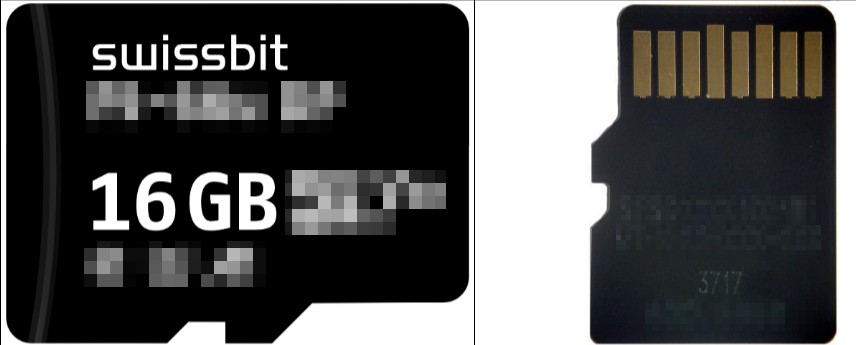
Another (visual) option is to inspect the laser marking on the back of your SD card.
The marking includes the production calendar week and year in a four-digit format:
CWYY → Calendar Week / Year
For example, 2319 means week 23 of 2019.
Example of SD Card marking for Manufacturing Date Calendar Week 50 of Year 2013:
Example of a microSD Card marking for Manufacturing Date Calendar Week 37 of Year 2017:
3. Reading the CID on a Linux System
If the card is directly attached to your Linux system (not via a USB card reader),
you can read the Card Identification (CID) register directly from the system.
Use the following command (replace mmcblk0 with the correct device name):
cat /sys/block/mmcblk0/device/cidThe CID contains the manufacturing date encoded in its last two bytes:

SD (microSD/SD)
CID register field MDT (Manufacturing Date)
Size/position: 12 bits at [19:8] of the CID
Year: bits [19:12] → value y means 2000 + y
Month: bits [11:8] → 1–12 (1 = January; 0 is not used)
Example: If MDT = 0b 0001 0100 (y=1, m=4) → April 2001.