Identification of Firmware Application versions of Security Cards
Many Swissbit products contain more than one firmware component.
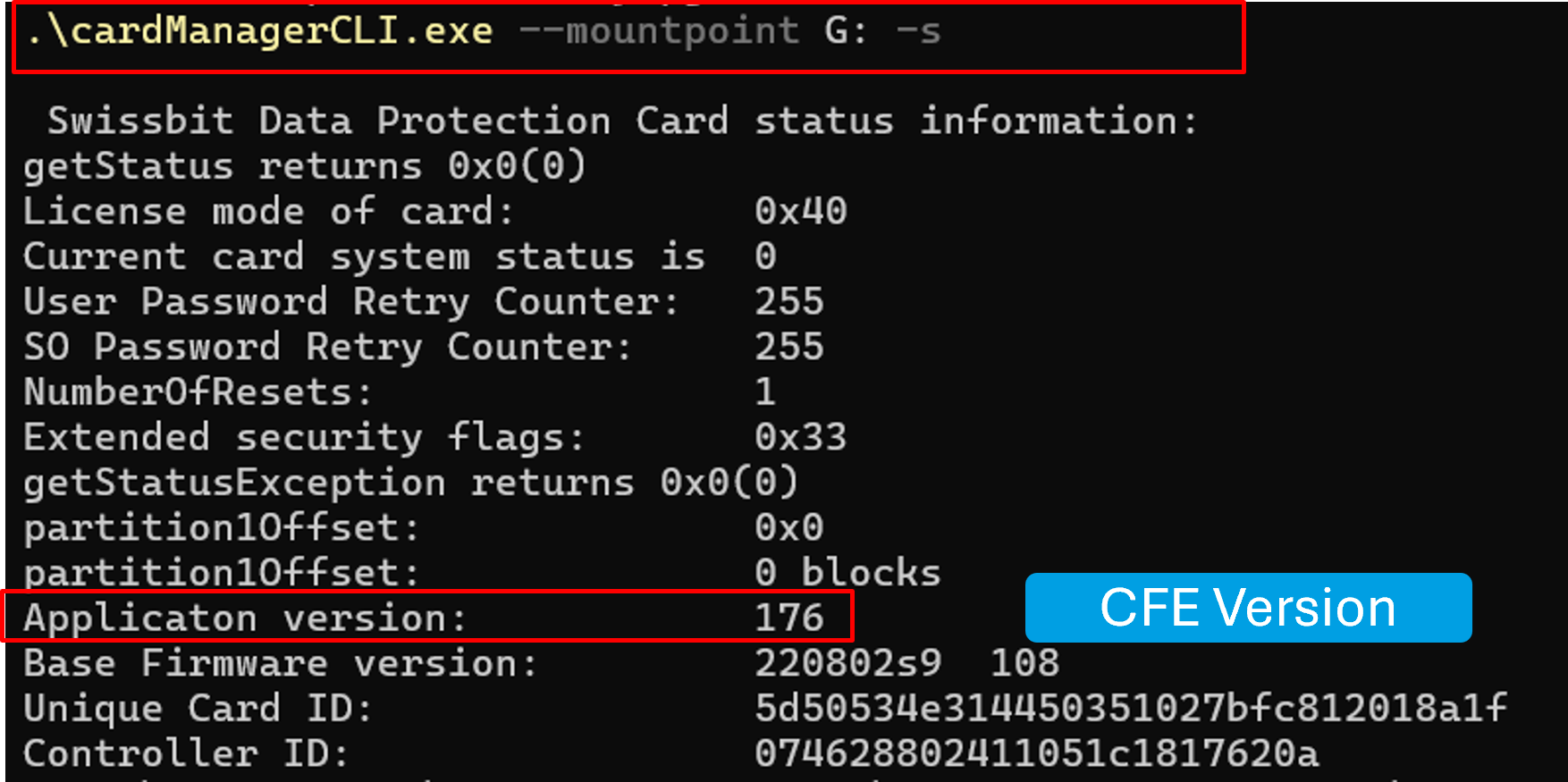
The Swissbit Data Protection products include a base firmware, which primarily ensures long-term data organization and reliability of the flash memory, while an additional security firmware provides the special security-related functions.
The security-related part is often referred to as the CFE (Custom Firmware Extension).
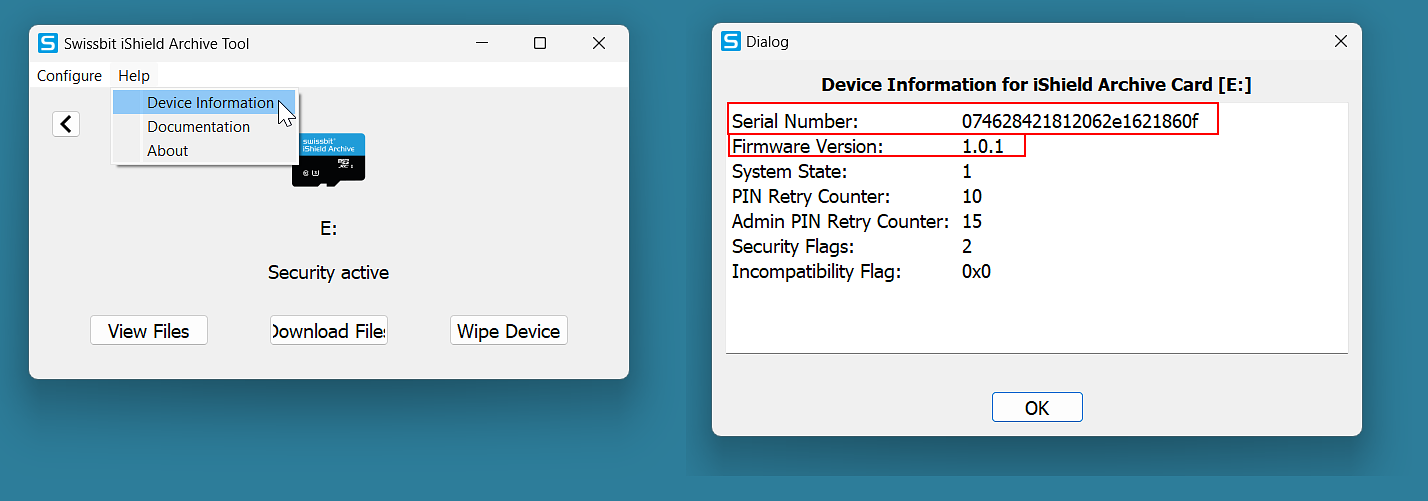
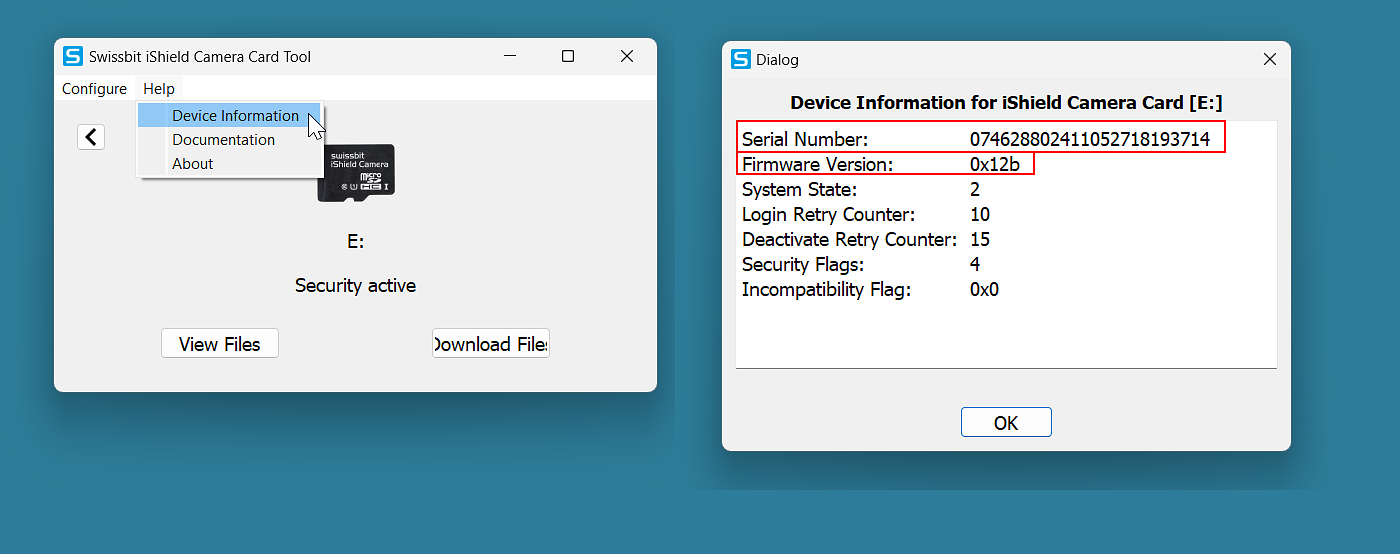
For iShield Archive and iShield Camera products, this part is shown as “Firmware Version”.
Please make sure to use the correct tool for each product.
Below is an overview of how to identify the firmware version for your product:
iShield Archive
Required Tool: iShield Archive Tool
See: #iShield Archive Tool (iAT) and #Plug and Play Data Encryption - iShield Archive for more information
iShield Camera
Required Tool: iShield Camera Card Tool
See: #iShield Camera Card Tool (iCCT) and #Plug and Play Data Encryption - iShield Camera Card for more information
Data Protection Products
PS-45(u) DP/PE, PS-66(u) DP/PE, Security Level 2, Security Level 3… and similar.
Required Tool: cardManagerCLI
It is part of #[Tools4Windows] Swissbit Card Manager and #[Tools4Linux] Swissbit Card Manager
Use the CLI tool with your respective mount point and the option -s.